Getting Started
Follow these steps in order. It takes about five minutes.
1. Create and verify your account
- Open Register and create an account.
- Open the email we send you and click the verification link.
- Sign in and open the Dashboard.
Your license token appears on the Dashboard once your email is verified.
2. Install a userscript manager
A userscript manager is a free browser extension that runs Grepomat inside Grepolis. Install one:
- Tampermonkey for Chrome, Firefox, or Edge
- Violentmonkey for Chrome or Firefox
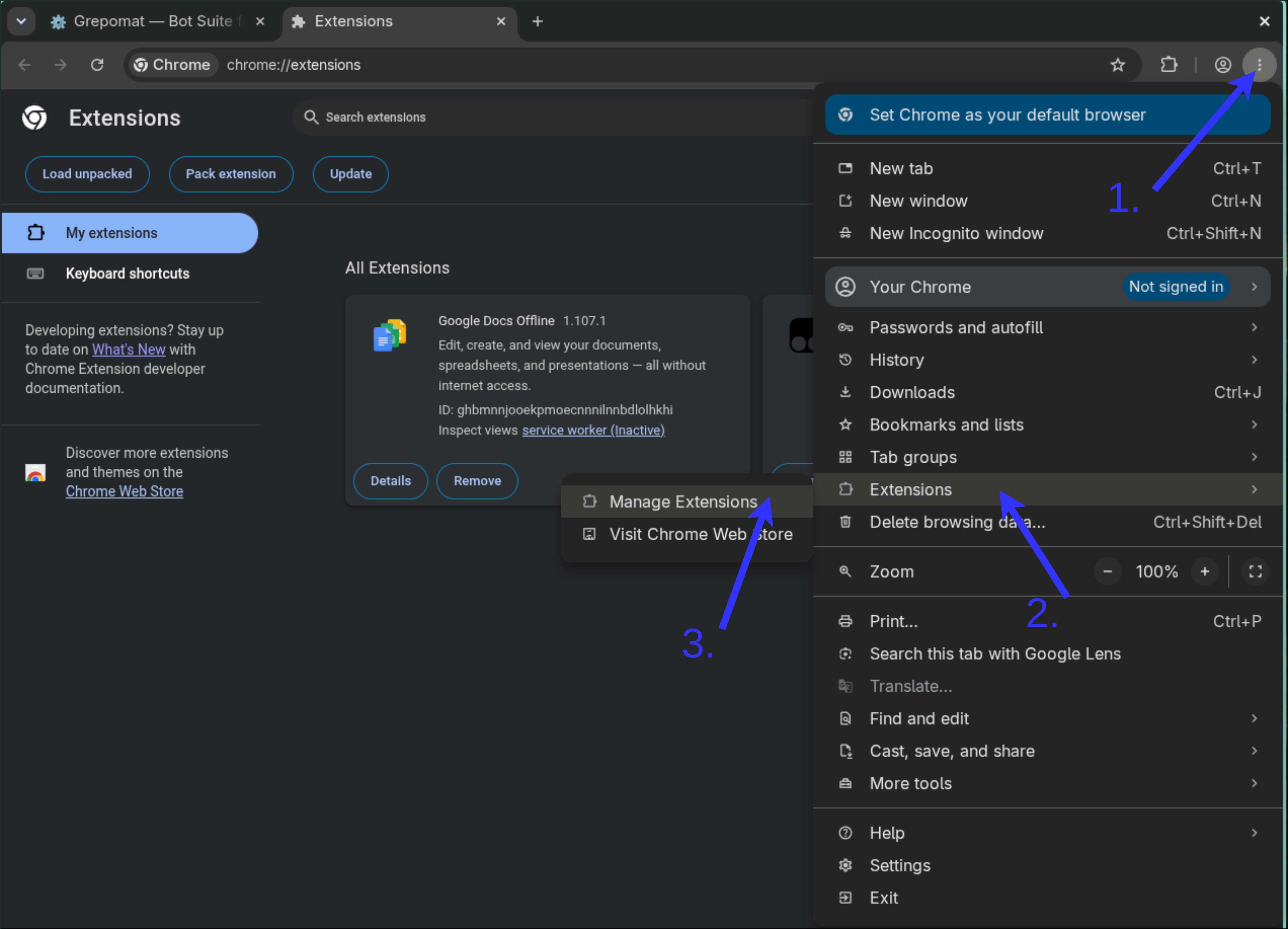
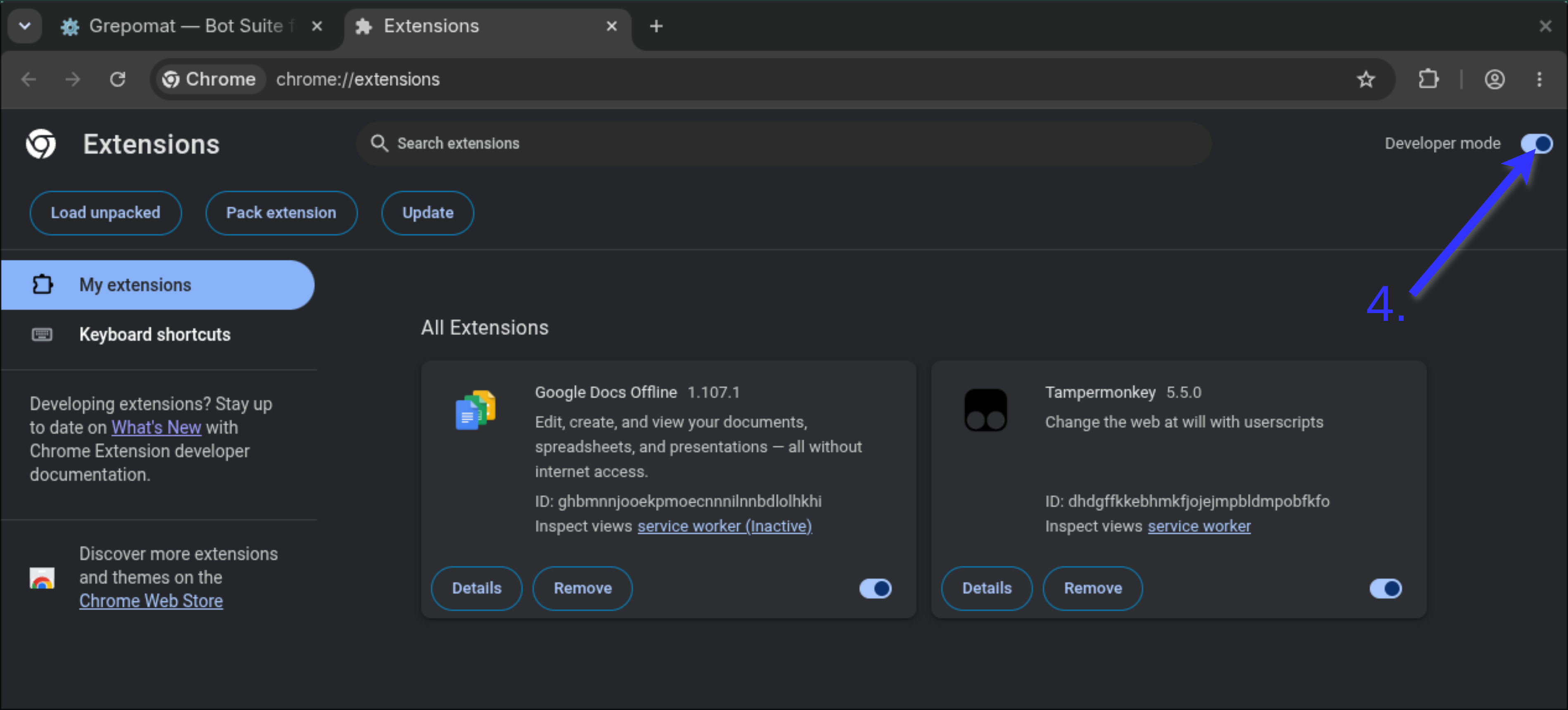
Chrome only
Open chrome://extensions and turn on Developer mode. Chrome needs this before a userscript manager can run scripts.
3. Install the Grepomat loader
- Open the Install page.
- Click Install Loader Script.
- Your userscript manager opens. Click Install.
Leave the loader switched on. It loads the latest Grepomat every time you open Grepolis, so you never have to update it yourself.
4. Enter your license token
- Copy the token from the Dashboard.
- Open a Grepolis world (or reload it).
- Paste the token into the Grepomat window that appears and confirm.
- Grepolis reloads.
The first time you use it, the token is tied to your Grepolis player name and your language server (for example en or de). It then works on every world of that server for that player, but not for another player or on another language server.
5. Open the Hub
The Hub opens by itself after the first successful start. Later, click the small Grepomat button on the game page to open it.
In the Hub you will find:
- Senate: switch modules on and off, plus general options such as Pause after game actions.
- A tab for each module: its settings and queue.
- Task Queue: what is running, what is waiting, and why.
- Notifications: alerts to your Discord.
- Night Sleep: hours when automation pauses. It is on for new players, from 00:25 to 07:14 server time.
- Shop: your access and purchases.
The buttons along the top open Herald, Combat Orders (Commander), Friend Network, the notification history, your license token, and these docs.
A short tutorial starts the first time. You can replay it from Senate → View tutorial.
6. Set up one module first
Do not switch everything on at once. Set up one module, check that it works, then add the next.
Collector is a good first choice:
- Open Collector.
- Choose a Collection frequency.
- Leave the optional tasks off for now.
- Go back to Senate and switch Collector on.
- Open Task Queue and check that Collector is scheduled.
See the Collector page for all options.
Before leaving it running
- Keep a Grepolis tab open and the computer awake.
- Check each module's queue and per-city settings.
- Check your Night Sleep hours.
- Timed actions can still fail if the computer sleeps, the internet drops, Grepolis shows a captcha, or the game refuses the action.
If the Hub does not appear, see Troubleshooting.